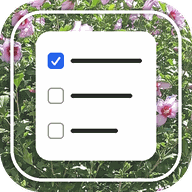
“Tylistid is made to live wherever you do: on your phone or your computer, as an app or in a tab.”
- by Myriel
What is this Tylistid (Tidy List)? 😉
A tidy, customizable daily checklist. Simple, clear and easy on the eyes.
Checked items simply stay where they are: no strike-through, no fading, no disappearing.
Every day at midnight your list starts a new day: yesterday's items come along, all unchecked, and you can change them any time.
Every finished day is kept in History, with the items you checked that day.
There are no statistics, no streaks, no scores and nothing extra. That is on purpose: I like it plain, basic and clean.
Getting started
Make it yours in Settings: pick a font, choose your own photo and set the fade, and write your own list.
App mode
On your phone or your computer: open the page, then in your browser's menu choose “Install app” or “ Add to Home screen”. It gets its own icon and works without internet.
Browser mode
No installing needed. Open the page in any browser, on your phone or on a computer, and it works exactly the same. Yes, offline too. 😉
Where your data lives
Everything you write stays on your device, in your browser. Your list and settings are never sent anywhere. A phone and a computer keep separate lists, and clearing your browser data erases it.
Backup
Tap Save and a file with your whole history lands in your Downloads folder. Keep it somewhere safe. On a new phone, on another device, or after clearing your data, tap Restore and pick that file.
❀
I hope you'll love this cute App-Baby
as much as I do.
Love,
Myriel
♡
© 2026 Tylistid.MyrielOfJuly.com | All rights reserved.